/
Sign in
RHON ENGINEERING

Engineering, with thewhole project in mind.

Your requirements. Your drawings. Your calculations. An open language model at the core, with Rhon's document checks and engineering tools around it.

Start in your browser. No installation needed.

Recorded Rhon conversation
Rhon Project Intelligence Drawing Review Vector FEA
01 / SOURCE CONTEXT

Better answers begin with context.

Every answer should begin with the sources the engineer chose: requirements, drawings, revisions and prior calculations. Rhon keeps that basis visible instead of inventing project context.

When a decisive input is missing, the right next step is a question—not a confident guess.

02 / DRAWING CHECK

Review the drawing, not a detached checklist.

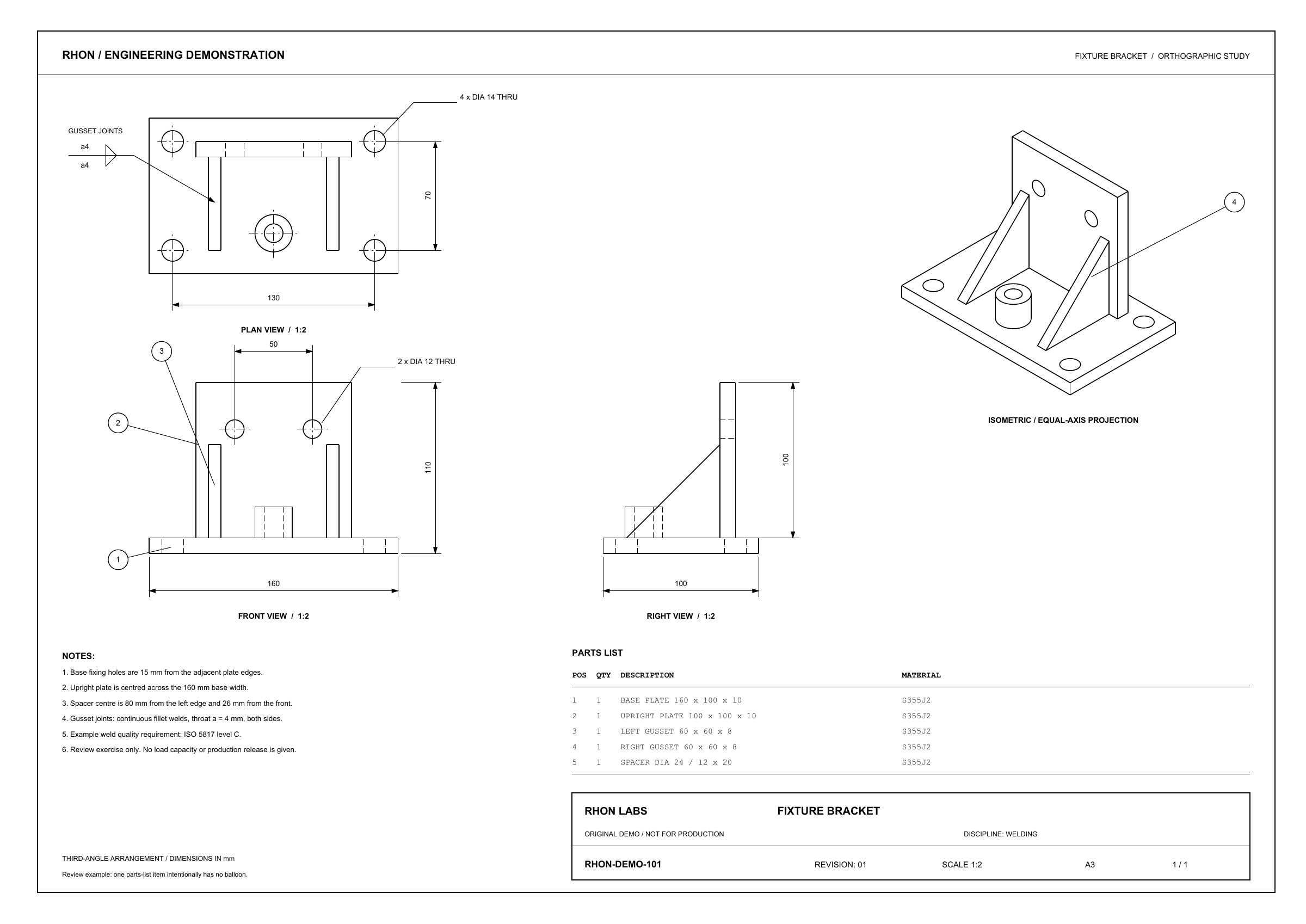
Materials, weld requirements, dimensions and parts-list references belong in the same review. Explore selected results from a real local rule check on an original Rhon demo drawing. The animation illustrates the workflow.

Demo drawing · selected rule-check resultsOpen PDF
RHON-DEMO-101 · REV 01 · PAGE 1
100%
Original Rhon fixture bracket drawing, revision 01: front, plan, right and isometric views
Reading drawing structureIllustrative workflow
RHON VECTOR / FEA

Our own solver. Built for engineering.

Rhon Vector is our own finite element solver, under active development and verification. We are building a connected workflow for geometry, loads, supports and results, with clear assumptions and checks. Engineering judgement remains with you.

01 / PREPARE

The engineering basis stays visible.

Review geometry, material and boundary conditions before calculation. This is neutral recorded static geometry; no analysis is started here.

Recorded setup · static geometry
STEP 1 OF 4

Recorded static geometry

120 × 80 × 100 mm

STEP · recorded surface

Drag · zoom
Z   Y ─ X
02 / INSPECT

Inspect a saved result without losing its limits.

Inspect the recorded static Von Mises field and reveal its surface mesh. Surface and element maxima remain separate.

Saved static result · recorded data replay
Loading…
Drag · zoom
Z   Y ─ X
Von Mises · 0–20.9 MPa
03 / DOCUMENT

Choose the evidence that moves forward.

Choose how to present the result: data, an image, a video or a report. Explore the available formats in this preview.

Saved result · export preview
EXPORT PREVIEW

Static result package

PNGRecorded result
Analysis
Static · Von Mises
Surface
—
Meaning
Surface Von Mises field
02 / ONE CONTINUOUS WORKFLOW

Less setup. More engineering.

01

Connect the work

Add the documents you want to work with in your workspace.

02

Let Rhon prepare

Context, parameters and missing decisions are surfaced before the run.

03

Engineer and verify

Inspect the model, evidence and result before you approve anything.

PRIVATE BY DESIGN

A personal workspace. A considered deployment.

The web app processes the documents you choose to upload. Businesses that need a private environment can discuss deployment, access and data handling with Rhon Labs.

RHON / WORKSPACEOVERVIEW
Project filesChosen by you
RhonUnderstands and acts
Controlled resultSources remain visible
Access controls Auditable Deployment choices

Bring the whole project into the conversation.

Start on your own. Bring your team when you need shared context.

Request beta access